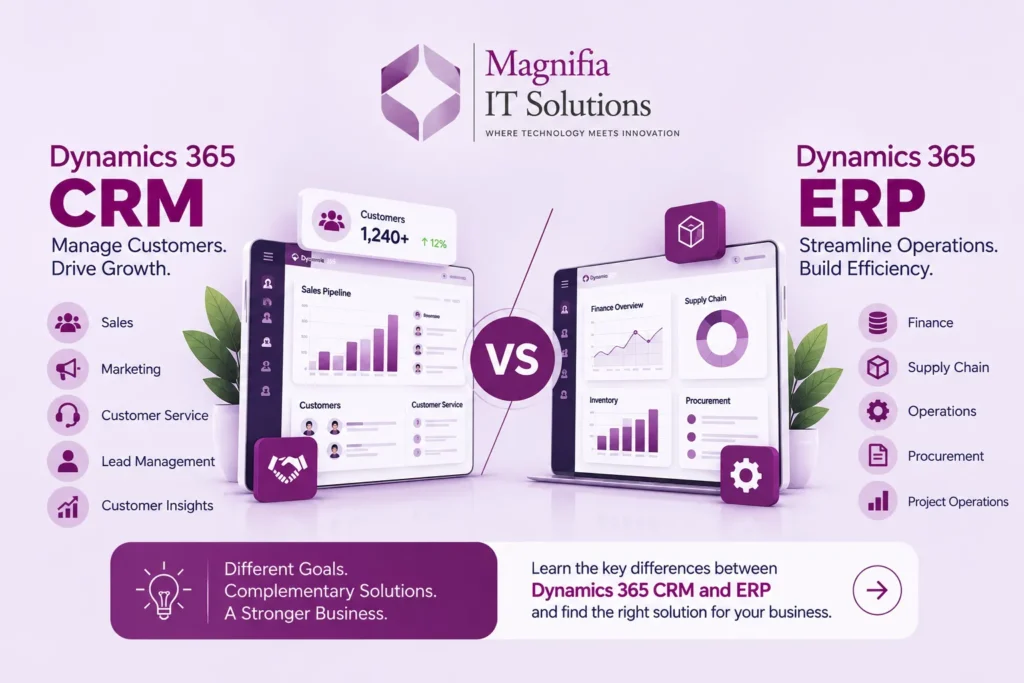
Businesses today rely on technology to manage customers, finances, operations, supply chains, employees, and business data. Two of the most important categories of business software are Customer Relationship Management (CRM) and Enterprise Resource Planning (ERP).
Microsoft Dynamics 365 provides applications that support both CRM and ERP requirements. But what is the difference between Dynamics 365 CRM and ERP? Can a business use both? And how do you determine which solution is appropriate for your organization?
In this guide, we’ll explain the differences between Dynamics 365 CRM vs ERP, their key capabilities, how they can work together, and the factors businesses should consider when selecting a solution.
What Is CRM?
Customer Relationship Management (CRM) software is designed to help businesses manage their interactions with current and potential customers.
A CRM system typically focuses on areas such as:
- Sales
- Marketing
- Customer service
- Lead management
- Customer interactions
- Opportunities
- Account management
- Sales forecasting
- Customer insights
The primary purpose of CRM is to help organizations understand their customers and improve the processes involved in acquiring, serving, and retaining them.
For example, a sales team can use a CRM system to track a lead from the first interaction through qualification, opportunity management, and eventually a completed sale.
What Is ERP?
Enterprise Resource Planning (ERP) software focuses on managing and integrating core business operations.
ERP systems commonly manage:
- Finance and accounting
- Procurement
- Inventory
- Supply chain
- Manufacturing
- Project operations
- Human resources
- Budgeting
- Business reporting
Instead of focusing primarily on customer relationships, ERP connects different internal business processes through a centralized system and shared data.
For example, when a company receives an order, an ERP system can help connect the transaction with inventory, procurement, financial accounting, fulfillment, and reporting processes.
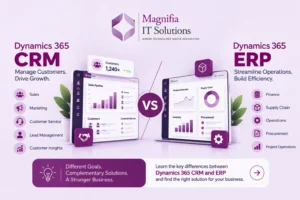
Dynamics 365 CRM vs ERP: What’s the Difference?
The simplest way to understand the difference is:
CRM focuses primarily on customers and revenue-generating processes.
ERP focuses primarily on internal operations and business resources.
However, modern business applications increasingly overlap and integrate with one another.
Here’s a high-level comparison:
| Area | CRM | ERP |
|---|---|---|
| Primary focus | Customers and revenue | Business operations |
| Sales | Strong focus | Supports order processing |
| Marketing | Strong focus | Limited/related capabilities |
| Customer service | Strong focus | Supporting role |
| Finance | Limited/connected | Core functionality |
| Accounting | Limited/connected | Core functionality |
| Supply chain | Limited | Core functionality |
| Inventory | Limited | Core functionality |
| Procurement | Limited | Core functionality |
| Manufacturing | Limited | Core functionality |
| Customer data | Core | Shared/related |
| Operational data | Supporting | Core |
The exact capabilities depend on the Dynamics 365 applications selected and how they are implemented.
What Is Microsoft Dynamics 365 CRM?
Microsoft Dynamics 365 includes applications designed for customer-facing processes.
Depending on the organization’s requirements, businesses can use Dynamics 365 applications for areas such as:
- Sales
- Customer Service
- Field Service
- Marketing and customer engagement
- Customer insights
These applications can help organizations centralize customer information and connect sales and service activities.
Example
Imagine a company receives a new sales enquiry.
A CRM solution can help the sales team:
- Capture the lead
- Track interactions
- Qualify the opportunity
- Manage the sales process
- Maintain customer information
- Track activities
- Forecast sales
The focus is primarily on the customer lifecycle.
What Is Microsoft Dynamics 365 ERP?
Microsoft Dynamics 365 also includes applications designed to manage core business operations.
Examples include:
- Dynamics 365 Finance
- Dynamics 365 Supply Chain Management
- Dynamics 365 Commerce
- Dynamics 365 Human Resources
- Dynamics 365 Project Operations
- Dynamics 365 Business Central
These applications address different operational requirements.
For example, Dynamics 365 Finance can support financial management, while Dynamics 365 Supply Chain Management can support areas such as procurement, inventory, planning, warehousing, and supply chain operations.
CRM vs ERP: Key Business Differences
1. Customer Management
CRM systems are designed around customer relationships.
They can help teams manage:
- Leads
- Contacts
- Accounts
- Opportunities
- Sales activities
- Customer service interactions
ERP systems may use customer information as part of order processing, invoicing, financial management, and other operational processes.
2. Finance and Accounting
Finance is one of the primary areas of an ERP system.
ERP applications can help businesses manage:
- General ledger
- Accounts payable
- Accounts receivable
- Financial reporting
- Budgeting
- Cash flow
- Tax-related processes
- Financial controls
CRM systems may connect to financial information, but financial management is generally an ERP responsibility.
3. Sales
CRM is heavily focused on sales activities.
Sales teams can use CRM applications to manage:
- Leads
- Opportunities
- Sales pipelines
- Customer interactions
- Activities
- Forecasting
ERP becomes particularly important when a sale moves into operational and financial processes such as fulfillment, invoicing, inventory, and accounting.
4. Supply Chain
Supply chain management is generally an ERP function.
Businesses may need systems to manage:
- Procurement
- Inventory
- Warehousing
- Transportation
- Demand planning
- Supply planning
- Product information
- Manufacturing
For organizations with complex supply chain requirements, Dynamics 365 Supply Chain Management can be part of the broader ERP environment.
5. Reporting and Analytics
Both CRM and ERP applications generate valuable business data.
CRM reporting may focus on:
- Sales performance
- Pipeline
- Customer activity
- Lead conversion
- Service performance
ERP reporting may focus on:
- Revenue
- Costs
- Inventory
- Procurement
- Financial performance
- Operational efficiency
Organizations can also connect business applications with analytics platforms to create broader management insights.
Can CRM and ERP Work Together?
Yes.
For many businesses, CRM and ERP are complementary rather than competing systems.
A company may use CRM to manage customer-facing processes while using ERP to manage financial and operational processes.
For example:
Lead
 ↓
Opportunity
 ↓
Sales Order
 ↓
Inventory / Fulfillment
 ↓
Invoice
 ↓
Payment
 ↓
Financial Reporting
Different applications can support different stages of this process.
Integration allows relevant information to move between systems, reducing duplicate data entry and helping teams work with more consistent information.
Dynamics 365 CRM and ERP Integration
One of the advantages of the Dynamics 365 ecosystem is that organizations can build connected business processes across applications.
For example, a business could connect customer and sales processes with:
- Finance
- Supply chain
- Customer service
- Commerce
- Business Central
- Power Platform
- Business intelligence tools
- Third-party applications
The exact integration architecture depends on the organization’s applications, data requirements, security model, and business processes.
For businesses planning an integration project, see our [Dynamics 365 Integration Services] and [ERP Consulting & Implementation Services].
When Should a Business Choose CRM?
A business may need a CRM-focused solution when its primary challenge involves customer-facing processes.
Typical situations include:
Growing sales teams
If sales representatives need a centralized place to manage leads, accounts, opportunities, and activities, CRM can provide the required structure.
Complex sales processes
Businesses with multiple sales stages, teams, territories, or approval processes may benefit from a structured CRM system.
Customer service requirements
Organizations managing significant customer-service interactions may need centralized case and customer information.
Marketing and customer engagement
Businesses that want better visibility into customer interactions and engagement can use CRM capabilities to organize customer data and activities.
When Should a Business Choose ERP?
ERP may be more appropriate when the primary challenge is managing internal operations.
Typical situations include:
Complex financial operations
Businesses requiring structured financial management, accounting, budgeting, and reporting may need ERP capabilities.
Supply chain complexity
Companies managing procurement, inventory, warehouses, manufacturing, or distribution can benefit from ERP.
Multiple business processes
Organizations operating across departments may use ERP to connect finance, procurement, inventory, projects, and other operational processes.
Business growth
As businesses grow, spreadsheets and disconnected systems can become difficult to maintain. An integrated ERP platform can provide a centralized operational environment.
When Does a Business Need Both CRM and ERP?
Some businesses need both.
For example, consider a distribution company.
The CRM team manages:
- Leads
- Customers
- Opportunities
- Sales activities
The ERP environment manages:
- Products
- Inventory
- Procurement
- Orders
- Invoicing
- Financial accounting
Connecting the two environments can create a more complete view of the customer and business operation.
A sales representative may see customer information and order status, while the finance and operations teams can access the relevant transaction information they need.
Dynamics 365 CRM vs ERP: Which Should You Choose?
There isn’t one solution that is appropriate for every business.
The right approach depends on your organization’s requirements.
Consider these questions:
1. What is your primary business challenge?
Is the biggest challenge:
- Sales?
- Customer management?
- Customer service?
A CRM-focused solution may be relevant.
If the challenge is:
- Finance
- Supply chain
- Procurement
- Inventory
- Manufacturing
- Business operations
ERP capabilities may be more relevant.
2. What systems do you already have?
Before implementing a new platform, evaluate your existing:
- CRM
- ERP
- Accounting system
- E-commerce platform
- HR systems
- Warehouse systems
- Reporting tools
- Custom applications
3. Do your systems need integration?
If several systems need to exchange data, integration architecture should be considered before implementation.
4. What will the business need in the future?
Don’t evaluate only today’s requirements.
Consider future:
- Business growth
- New locations
- New products
- Additional users
- Acquisitions
- International operations
- Reporting requirements
Dynamics 365 CRM vs ERP: Quick Decision Guide
| Business Requirement | Primary Consideration |
|---|---|
| Lead management | CRM |
| Sales pipeline | CRM |
| Customer service | CRM |
| Customer engagement | CRM |
| Financial accounting | ERP |
| Procurement | ERP |
| Inventory management | ERP |
| Supply chain management | ERP |
| Manufacturing | ERP |
| Business operations | ERP |
| Customer + operational processes | CRM + ERP |
| Cross-system processes | Integration |
Benefits of Connecting CRM and ERP
When appropriately designed and implemented, connecting CRM and ERP can provide several operational benefits.
Better data visibility
Teams can access information from connected business processes.
Reduced duplicate data entry
Integration can reduce the need to manually enter the same information into multiple systems.
Improved collaboration
Sales, finance, operations, and customer service teams can work with connected processes.
Better reporting
Connected business data can support broader business reporting and analysis.
More efficient processes
Automating the movement of information between systems can reduce manual steps.
Common Challenges When Implementing CRM and ERP
Implementing business applications requires more than installing software.
Businesses may encounter challenges involving:
Data migration
Existing customer, financial, product, inventory, and transactional data may need to be cleaned, mapped, transformed, and migrated.
Integration
Existing applications may need to exchange data with Dynamics 365.
Customization
Standard functionality may not always match every organization’s processes.
User adoption
Employees need training and support to use the new system effectively.
Change management
Moving from legacy processes to an integrated platform can require changes to business workflows.
This is why implementation planning should consider people, processes, data, technology, integrations, and ongoing support.
How Magnifia Can Help With Dynamics 365
Magnifia Solutions provides services around Microsoft Dynamics 365 and related business solutions.
Our services include:
ERP Consulting & Implementation
Support for planning, configuring, implementing, and deploying ERP solutions.
[Explore ERP Consulting & Implementation →]
Data Migration
Support for assessing, cleansing, transforming, mapping, and validating business data during migration projects.
Integrations
Connect Dynamics 365 with relevant business applications and third-party systems.
[Explore Dynamics 365 Integrations →]
Customization & Development
Develop extensions and custom functionality based on business requirements.
[Explore Customization & Development →]
Support & Maintenance
Ongoing support for Dynamics 365 environments after implementation.
[Explore Support & Maintenance →]
Frequently Asked Questions
Is Dynamics 365 CRM the same as ERP?
No. CRM and ERP address different business requirements. CRM primarily focuses on customers, sales, and service, while ERP focuses on core business operations such as finance, procurement, inventory, and supply chain.
Is Dynamics 365 an ERP or CRM?
Dynamics 365 is a collection of business applications. Microsoft provides applications covering both CRM and ERP-related business requirements.
Can Dynamics 365 CRM and ERP be integrated?
Yes. Organizations can integrate relevant Dynamics 365 applications and other business systems depending on their business and technical requirements.
Does a small business need both CRM and ERP?
Not necessarily. The appropriate solution depends on the organization’s processes, size, complexity, existing systems, growth plans, and requirements.
What is the difference between CRM and ERP?
CRM primarily manages customer-facing processes such as sales and customer service, while ERP manages internal business operations such as finance, procurement, inventory, and supply chain.
How do I choose between CRM and ERP?
Start by identifying your most important business requirements, existing systems, data flows, operational processes, and future growth plans. A detailed requirements assessment can then determine which applications or combination of applications are appropriate.
Conclusion
The comparison between Dynamics 365 CRM vs ERP is not necessarily about choosing one system over the other.
CRM and ERP solve different business problems.
CRM focuses primarily on customers, sales, and service, while ERP focuses on finance, operations, supply chain, procurement, and other core business processes.
For organizations with broader requirements, connecting CRM and ERP applications can provide a more integrated business environment.
The best approach is to start with your business processes and requirements, evaluate your existing systems, identify integration and data requirements, and then determine which Dynamics 365 applications fit your organization.
Need help evaluating your Dynamics 365 requirements? Contact Magnifia Solutions to discuss your implementation, integration, migration, customization, and support requirements.