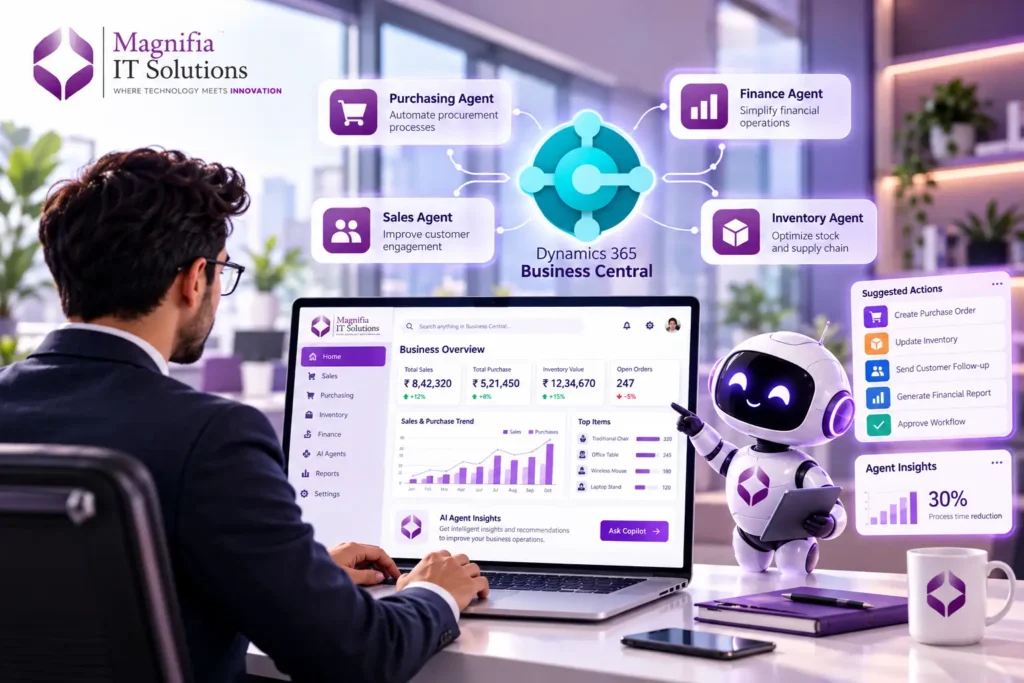
Business Central 2026 Wave 2 Brings AI Agents Into the Heart of ERP
Microsoft Dynamics 365 Business Central is moving beyond traditional ERP automation with a new generation of AI-powered agents. With Business Central 2026 Wave 2, businesses can explore how AI agents can work directly with business processes, data, permissions, and workflows to automate tasks and support employees in making faster decisions.
The biggest shift is that organizations are no longer limited to predefined automation. Microsoft is expanding Business Central with capabilities that allow businesses, consultants, developers, and other experts to envision and design custom AI agents for specific business scenarios. Microsoft describes these agents as AI-powered team assistants that can interpret business goals expressed in natural language, reason over Business Central data, and take actions within defined boundaries.
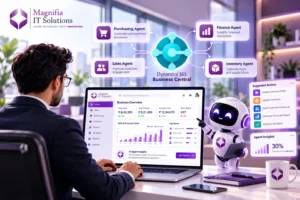
For small and mid-sized businesses, this development could be particularly important. Instead of adding more manual processes as the company grows, organizations can use AI agents to assist with finance, sales, purchasing, inventory, customer management, reporting, and other repetitive ERP activities.
Business Central follows a six-month release-wave model, and the 2026 Wave 2 release introduces version 29.0 capabilities across Copilot, agents, development, finance, supply chain, administration, and other areas. Microsoft has also shifted its new capability announcements toward the AI at Work roadmap beginning in September 2026.
What Is Business Central 2026 Wave 2?
Business Central 2026 Wave 2 is Microsoft’s latest major release cycle for Dynamics 365 Business Central. The release focuses heavily on intelligent automation, AI-assisted work, development improvements, data access, and more connected business processes.
One of the most significant areas is the evolution of Copilot and autonomous agents. Microsoft is building Business Central toward an environment where AI does more than answer questions. AI can assist with tasks, interpret information, interact with ERP data, and potentially complete multi-step processes while operating under defined permissions and controls.
This represents an important change in the traditional ERP model.
Traditional ERP automation generally follows predefined rules. For example, when an invoice arrives, a workflow may check specific fields and route the document to a predefined approval process.
AI agents introduce a more flexible approach. An agent can be given a business objective and instructions, understand relevant information, determine appropriate steps, and work with available tools while maintaining human oversight where required.
Microsoft’s agent design experience is intended to help organizations prototype and refine these types of scenarios in a controlled Business Central sandbox environment.
What Are AI Agents in Business Central?
A Business Central AI agent is essentially an intelligent software assistant designed to work with business processes and ERP information.
Instead of simply displaying information, an AI agent can be designed around a goal.
For example, imagine a purchasing manager asking:
“Review outstanding purchase orders, identify delayed deliveries, check inventory requirements, and prepare a list of suppliers that need follow-up.”
A traditional system may require the user to open several pages, run reports, filter records, compare information, and prepare the final list manually.
An AI agent can potentially coordinate these steps based on its instructions, available tools, permissions, and business rules.
Microsoft’s approach is designed around natural-language instructions, profiles, permissions, testing, and controlled execution. The agent design experience allows users to define an agent’s goals and instructions, refine its behavior, and test it before considering a production scenario.
This makes the technology especially interesting for organizations that want to introduce AI automation without completely redesigning their ERP environment.
Build Your Own AI Agents in Business Central
One of the most important developments is Microsoft’s move toward custom agent design.
The agent design experience is intended to provide a low-risk environment for envisioning and prototyping custom AI agents. Instead of relying only on Microsoft’s built-in agents, organizations can explore agents tailored to their own processes.
This opens the door to many industry-specific scenarios.
A manufacturing company could design an agent to monitor production-related information and highlight potential issues.
A distributor could create an agent that analyzes inventory levels, open orders, and purchasing requirements.
A finance team could explore agents for invoice review, payment preparation, reconciliation assistance, or financial analysis.
A sales organization could build an agent around customer follow-ups, sales opportunities, order information, or account research.
The important point is that AI agents can be designed around the organization’s actual business requirements rather than forcing every company to use exactly the same workflow.
Microsoft’s documentation describes the design experience as being useful for product owners, domain experts, consultants, developers, and power users who want to experiment with custom agent scenarios.
How Business Central AI Agents Work
The foundation of an effective AI agent is not simply the AI model. It is the combination of instructions, business data, tools, permissions, and controls.
First, the organization defines the agent’s purpose.
Next, instructions explain what the agent should do, what information it should consider, and what boundaries it should follow.
The agent then works with available Business Central capabilities and data.
Permissions determine what the agent is allowed to access or perform.
Testing can be used to identify unexpected behavior and improve the agent’s instructions.
Finally, human approval can remain part of the process for important or sensitive operations.
This approach is important because an AI agent should not simply be given unrestricted access to business systems. Responsible implementation requires clear boundaries, appropriate permissions, monitoring, testing, and governance.
Microsoft specifically highlights transparency, logging, permissions, and human control as important parts of its Business Central agent strategy.
Business Central Copilot vs Custom AI Agents
Business Central already includes Copilot capabilities designed to assist users with common tasks and insights. Custom AI agents take the concept further.
Copilot is generally focused on helping users perform specific activities, retrieve information, summarize content, or generate useful outputs.
Custom AI agents are designed around business objectives and processes.
For example, Copilot might help a user analyze a customer record.
A custom sales agent could potentially be designed to review customer activity, identify opportunities requiring attention, prepare follow-up recommendations, and assist with the next steps.
Both approaches have value.
The goal is not necessarily to replace Copilot with custom agents. Instead, businesses can use built-in Copilot capabilities together with agents and traditional Business Central workflows to create a more intelligent ERP environment.
Business Central AI Agents and MCP
Another important part of Microsoft’s AI strategy is the Model Context Protocol, commonly called MCP.
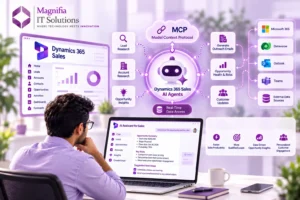
MCP provides a standardized way for AI systems and agents to interact with tools and data. Microsoft has been expanding Business Central’s MCP capabilities so AI agents can work with Business Central entities and data through standardized interfaces.
Microsoft describes the Business Central MCP server as a way to connect AI agents with Business Central APIs and data. It can help enable AI platforms and agents to interact with Business Central information such as customers, items, and sales orders.
In the 2026 Wave 2 update, Microsoft also lists the ability to use MCP tools to define, validate, and run custom data queries, including queries for data where an existing API may not be available.
For businesses, this is significant because ERP data becomes much more useful when AI agents can securely access the information they need to complete meaningful tasks.
Real-World Business Central AI Agent Use Cases
The potential use cases for Business Central AI automation are broad.
Sales and Customer Management
A sales agent could help analyze customer activity, review open opportunities, identify accounts requiring follow-up, and prepare recommendations for sales representatives.
Instead of manually searching through multiple records, sales teams could use an AI assistant to bring relevant information together.
Finance and Accounts Payable
Finance teams can benefit from AI agents that assist with invoice processing, purchase order matching, exception identification, and payment-related workflows.
Business Central already includes capabilities such as the Payables Agent, while Microsoft continues expanding AI-assisted financial processes.
Inventory Management
Inventory is another strong area for AI automation.
An agent could analyze inventory levels, open sales orders, purchase orders, historical demand, and other relevant information to identify potential shortages or excess inventory.
This can help organizations move from reactive inventory management toward more proactive decision-making.
Purchasing and Supply Chain
Procurement teams could use AI agents to monitor outstanding purchase orders, identify supplier delays, compare requirements, and prepare follow-up actions.
The objective is not simply to automate one click. The bigger opportunity is coordinating multiple steps across the purchasing process.
Business Reporting
Business leaders often spend significant time collecting information from ERP reports.
AI agents can potentially help summarize financial, sales, inventory, and operational information and turn raw data into easier-to-understand insights.
This can make ERP information more accessible to managers who do not want to manually analyze multiple reports.
Why AI Agents Matter for Small and Mid-Sized Businesses
Large organizations have traditionally had the resources to invest in sophisticated automation and custom software.
AI agents could help reduce that gap.
A growing business using Dynamics 365 Business Central can potentially automate repetitive processes without creating a completely separate application for every requirement.
For SMBs, this can translate into several benefits:
Less manual work: Employees can spend less time on repetitive data-processing activities.
Faster decision-making: AI can help bring relevant ERP information together more quickly.
Better scalability: Businesses can automate processes as transaction volumes increase.
Improved productivity: Employees can focus on customer relationships, strategy, and higher-value work.
More accessible automation: Natural-language agent instructions can make experimentation easier for business experts and consultants.
The real value, however, comes from identifying the right business processes. AI should not be added simply because it is available. The strongest implementations begin with measurable business problems.
Security and Governance Should Come First
AI automation inside an ERP system requires careful governance.
Business Central contains sensitive financial, customer, supplier, inventory, and operational information. An AI agent must only receive the access necessary for its assigned responsibilities.
Organizations should define permissions carefully, test agent behavior in sandbox environments, maintain clear instructions, and establish human approval for sensitive activities.
Microsoft’s agent strategy emphasizes permission enforcement, logging, transparency, and human-in-the-loop controls.
This is why implementing AI agents should be treated as both a technology project and a business governance project.
How to Prepare Your Business for Business Central AI Agents
Companies considering AI agents should begin with a structured approach.
Start by identifying repetitive processes that consume significant employee time.
Next, document how the process currently works, including inputs, decisions, exceptions, approvals, and outputs.
Then determine whether the process is suitable for AI automation.
The next step is to design an agent around a specific business objective rather than trying to automate an entire department at once.
Use a sandbox environment for experimentation and testing. Microsoft’s AI development toolkit is specifically designed for experimenting with AI capabilities and building agents, with the agent design experience intended for controlled prototyping.
After testing, evaluate accuracy, permissions, performance, cost, exception handling, and user experience.
Only then should the organization consider moving the solution toward production.
Business Central 2026 Wave 2 and the Future of ERP
Business Central is increasingly becoming more than a system that stores business transactions.
The combination of ERP data, Copilot, AI agents, MCP, automation, analytics, and Microsoft’s broader AI ecosystem points toward a more intelligent ERP model.
The future ERP experience is likely to be less about navigating dozens of screens and more about telling the system what business outcome you need.
Instead of asking employees to manually collect information, compare records, prepare reports, and initiate repetitive actions, organizations can increasingly use AI assistants and agents to support those processes.
However, successful AI adoption will depend on more than technology. Businesses will need strong data quality, clear processes, good ERP implementation practices, security controls, and experienced partners who understand both business operations and Microsoft technologies.
Is Business Central 2026 Wave 2 Right for Your Business?
If your organization already uses Dynamics 365 Business Central, 2026 Wave 2 is an important opportunity to evaluate how AI can improve everyday operations.
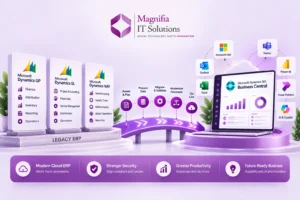
If you are considering moving from an older ERP system to Business Central, the growing AI capabilities provide another reason to evaluate the platform as part of a long-term modernization strategy.
The right approach is not to automate everything immediately.
Instead, identify the processes where AI can create measurable value, design a focused agent, test it safely, establish governance, and gradually expand automation.
Business Central’s move toward custom AI agents gives businesses the opportunity to create ERP automation around their own processes rather than relying exclusively on fixed functionality.
Conclusion
Business Central 2026 Wave 2 marks an important step toward AI-powered ERP. With custom AI agent design, Copilot capabilities, MCP connectivity, improved automation, and deeper AI integration, businesses can begin exploring a new way to manage everyday operations.
The most exciting opportunity is the ability to design AI agents around specific business requirements. From finance and purchasing to sales, inventory, supply chain, and reporting, organizations can identify repetitive processes and explore how intelligent agents can assist employees.
Microsoft’s agent design experience is particularly significant because it allows businesses, consultants, developers, and domain experts to experiment with agent behavior, instructions, profiles, permissions, and business scenarios in a controlled environment.
For organizations planning their Dynamics 365 Business Central implementation, upgrade, or AI strategy in 2026, now is the right time to evaluate where AI agents can deliver measurable business value.
At Magnifia IT Solutions, we help businesses evaluate Microsoft Dynamics 365 solutions, modernize ERP processes, implement Business Central, integrate business applications, and explore AI-powered automation opportunities. The goal is not simply to introduce new technology, but to connect technology with real business outcomes.
Ready to explore what AI agents could automate in your Business Central environment? Start by identifying one repetitive process, define the desired outcome, and build from there.