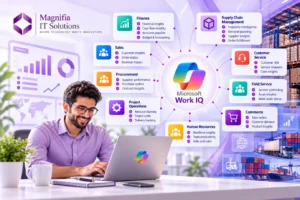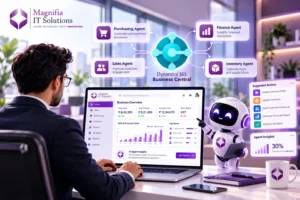
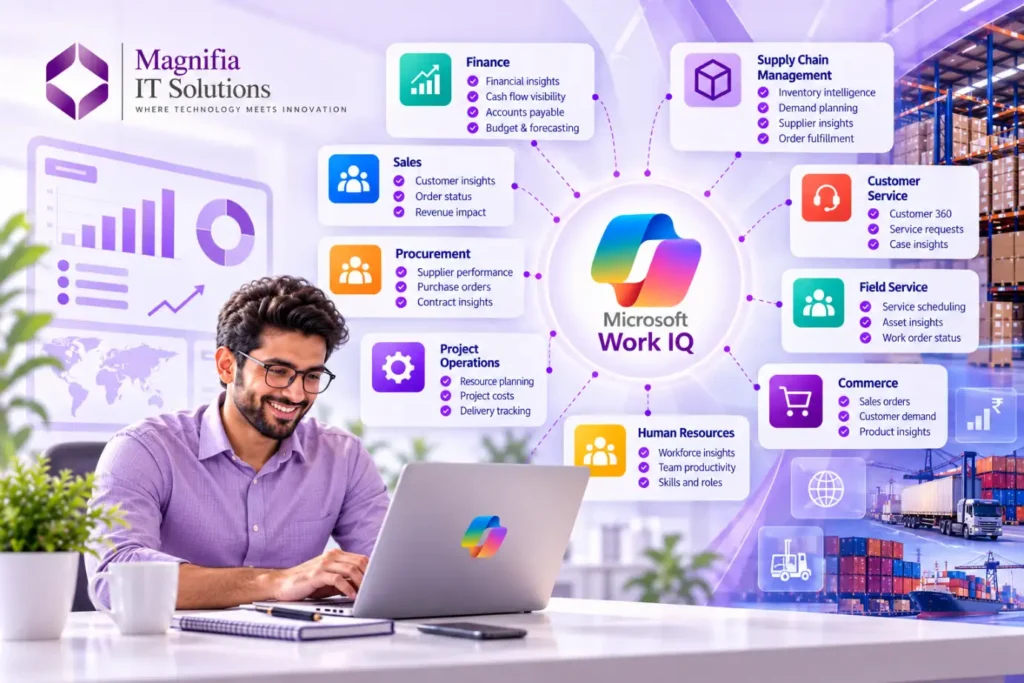
Microsoft is taking the next major step in its AI strategy with Work IQ, bringing deeper business and workplace intelligence into Microsoft Copilot and AI agents. The latest expansion connects business application data and processes with the broader Work IQ intelligence layer, helping Copilot and agents understand how an organization actually operates. Microsoft announced that Business Applications in Work IQ entered public preview beginning September 30, 2026, with rollout continuing through October.
For organizations using Dynamics 365 Finance and Supply Chain Management, this development could significantly change how employees interact with ERP data. Instead of navigating multiple screens, reports, and records to understand a business situation, users can increasingly interact with business information through natural language and AI-powered experiences.
Work IQ is designed to connect business context across sales, service, finance, operations, and supply chain. This creates an opportunity for organizations to move from traditional application-based workflows toward more intelligent, context-aware and agent-driven business processes. Microsoft
For IT leaders and Dynamics 365 administrators, the question is no longer simply whether AI should be adopted. The more important question is whether the organization’s data, security, processes, environments, and governance are ready for AI.
What Is Microsoft Work IQ?
Work IQ is Microsoft’s workplace intelligence layer designed to help AI understand organizational data, context, relationships, processes, and tools.
Traditional AI assistants can retrieve information from individual applications. Work IQ is designed to go further by connecting information across the Microsoft ecosystem and helping Copilot and agents reason about how that information relates to the work being performed.
Microsoft describes Work IQ as a layer that can bring together productivity data and business application context so that Copilot and agents can work with a shared understanding of the organization. Microsoft Learn
For example, consider a supply chain manager investigating a delayed customer order.
A traditional workflow might require the manager to open several screens, check inventory, review purchase orders, examine supplier information, inspect warehouse status, and then communicate with other teams.
With a more context-aware AI experience, the user could ask a natural-language question such as:
“Why is this customer order delayed, and what should we do next?”
The AI could potentially reason across relevant business information and provide a more meaningful answer based on the organization’s available business context and permissions.
This represents an important shift from finding information to understanding business situations.
Why Work IQ Matters for Dynamics 365 Finance & Supply Chain
Dynamics 365 Finance and Supply Chain Management contain some of the most important operational data in an organization.
Finance contains information related to:
- General ledger
- Accounts payable
- Accounts receivable
- Financial reporting
- Budgets
- Cash flow
- Procurement
- Vendor transactions
- Business performance
Supply Chain Management contains information related to:
- Inventory
- Products
- Warehouses
- Suppliers
- Purchase orders
- Sales orders
- Production
- Demand planning
- Transportation
- Warehouse operations
The real business value often comes from the relationship between these areas.
A delayed shipment may be connected to inventory availability.
Inventory availability may be connected to supplier performance.
Supplier performance may be connected to purchase orders.
Purchase orders may affect cash flow and financial commitments.
This is where AI that understands broader business context can become particularly valuable.
Microsoft says Business Applications in Work IQ can connect business understanding across sales, service, finance and operations, and supply chain, enabling scenarios that may span multiple business applications rather than being limited to a single application. Microsoft
From ERP Screens to Natural-Language Business Intelligence
One of the biggest changes Work IQ can introduce is how employees interact with ERP systems.
Traditionally, users need to understand the application structure before they can find the information they need.
They may need to know:
- Which workspace to open
- Which module contains the information
- Which report to run
- Which filters to apply
- Which records to review
- Which dashboards contain the required metrics
AI changes this interaction model.
Instead of starting with an application screen, employees can start with a business question.
For example:
“Which suppliers are creating the most delivery delays this month?”
“Which products have increasing demand but insufficient inventory?”
“Which purchase orders are at risk of affecting production?”
“What invoices are overdue from our largest customers?”
“Why has working capital changed this quarter?”
The goal is to make business information accessible through the language employees already use.
Work IQ and Supply Chain Intelligence
Supply chain management is one of the areas where contextual AI can provide significant value.
Supply chains involve many connected variables.
A company may have:
- Supplier delays
- Inventory shortages
- Changing demand
- Production constraints
- Warehouse capacity issues
- Transportation delays
- Customer commitments
- Purchase order changes
Looking at each issue independently can make it difficult to understand the overall impact.
Work IQ’s broader business context model is designed to help AI and agents reason across business application information and workflows.
For example, a supply chain manager could ask:
“Which customer orders are most likely to be affected by current supplier delays?”
A useful AI experience should not simply return a supplier list.
The objective is to connect the relevant business context and help the user understand the potential operational impact.
This could support faster decision-making and help organizations move toward proactive supply chain management.
Work IQ and Dynamics 365 Finance
Finance teams can also benefit from deeper business context.
Financial data is rarely isolated from operational activity.
A change in sales can affect revenue forecasts.
A supplier delay can affect procurement costs.
Inventory changes can affect working capital.
Customer payment delays can affect cash flow.
Production changes can affect financial planning.
AI that understands these relationships can potentially help finance teams move beyond static reporting toward more interactive analysis.
For example, instead of simply asking:
“What was our revenue last month?”
a finance user could ask:
“Why did revenue change compared with the previous month, and which business factors contributed most to the difference?”
The value comes from combining financial information with relevant business context.
AI Agents and the Future of ERP
Work IQ is also important because Microsoft is building toward an increasingly agent-driven business application ecosystem.
AI agents can perform tasks rather than simply answer questions.
For example, an agent could potentially help with activities such as:
- Reviewing business information
- Identifying exceptions
- Summarizing operational issues
- Preparing recommendations
- Supporting approvals
- Triggering business processes
- Coordinating information between teams
Microsoft describes Business Applications in Work IQ as a way to make business data, processes, and context available to Copilot and agents.
This means organizations should start thinking about ERP modernization not only in terms of applications and modules, but also in terms of AI-ready business processes.
What Dynamics 365 Administrators Should Prepare Now
Organizations don’t need to wait for Work IQ to become generally available before preparing.
In fact, preparation is one of the most important steps.
1. Review Your Business Data
Start by reviewing the quality of your Dynamics 365 data.
AI is only as useful as the business information available to it.
Review:
- Customer records
- Supplier records
- Product information
- Inventory data
- Financial records
- Purchase orders
- Sales orders
- Business relationships
- Organizational structures
Look for duplicate, outdated, incomplete, or inconsistent information.
Clean business data creates a stronger foundation for AI.
2. Review Security and Permissions
Security becomes even more important when AI can reason over business information.
Microsoft states that Business Applications in Work IQ uses existing access permissions for business application data to determine what users, agents, and applications can see and do. Administrators are responsible for reviewing access and ensuring that permissions align with intended business scenarios.
Before enabling AI capabilities, organizations should review:
- User roles
- Security roles
- Environment permissions
- Application access
- Data access
- Agent permissions
- Administrative privileges
AI should not become a shortcut around existing security controls.
3. Identify the Right Pilot Scenario
Microsoft’s Work IQ quickstart recommends selecting a focused pilot scenario and choosing a useful business question that users can evaluate using existing business data.
This is a good approach for Dynamics 365 organizations.
Don’t start by enabling everything for everyone.
Instead, choose one meaningful business scenario.
For example:
Supply Chain: Identify purchase orders at risk of delaying production.
Finance: Understand major changes in receivables and cash flow.
Procurement: Identify suppliers with recurring delivery issues.
Inventory: Find products approaching stock-out conditions.
A focused pilot makes it easier to measure value and identify issues.
4. Review Your Dynamics 365 Environment Strategy
Organizations should review which Dynamics 365 environments contain the business data that could be relevant to their AI scenarios.
Consider:
- Production environments
- Sandbox environments
- Development environments
- Testing environments
- Dataverse integration
- Power Platform environments
- Business applications
- Data flows
Microsoft provides administrative controls that allow organizations to determine which environments and applications participate in Business Applications in Work IQ.
This is important for organizations with multiple Dynamics 365 environments.
5. Prepare Your Business Processes
AI needs more than data.
It needs business context.
Organizations should document important processes such as:
- Procure-to-pay
- Order-to-cash
- Plan-to-produce
- Inventory management
- Supplier management
- Financial close
- Customer fulfillment
- Warehouse operations
Ask:
What happens first?
What happens next?
Who is responsible?
What business rules apply?
What exceptions require human approval?
This process knowledge can become valuable when designing AI agents and business skills.
6. Think About Business Skills
Microsoft’s Business Applications in Work IQ architecture includes business skills that can define reusable business context for users, makers, and agents.
This is important because organizations often have business processes that cannot be understood simply by looking at database fields.
For example, an organization may have a specific process for determining whether a supplier should be escalated.
That process may involve:
- Delivery performance
- Quality
- Purchase order value
- Production impact
- Contract requirements
- Business approvals
Documenting these rules can help organizations think about how AI should support business decisions.
7. Prepare Employees for AI-Powered Work
Technology adoption is not only an IT project.
Employees need to understand how AI will change their daily workflows.
Finance teams may need to learn how to ask better questions.
Supply chain teams may need to validate AI recommendations.
Managers may need to understand AI-generated insights.
IT teams may need to manage permissions and governance.
Organizations should therefore consider:
- AI training
- Prompt guidance
- Responsible AI policies
- Human review processes
- Data security awareness
- AI adoption measurement
The goal should be to make employees more productive, not simply add another technology layer.
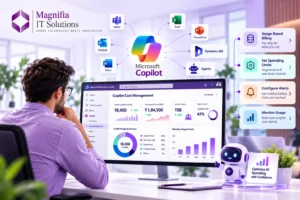
8. Consider Cost Management
Usage-based AI can introduce additional cost considerations.
Microsoft’s documentation notes that organizations using usage-based billing features should review Copilot Credits and cost-management requirements.
Before scaling Work IQ and AI agents, organizations should understand:
- Which capabilities generate usage
- Which users require access
- Expected AI consumption
- Available billing options
- Spending controls
- Monitoring requirements
A controlled pilot can help organizations understand actual usage before expanding AI across the enterprise.
9. Plan for Governance
As AI becomes more deeply connected to ERP data, governance should become a central part of the implementation.
Organizations should define:
Who can access AI?
Which data can AI use?
Which agents can perform actions?
Which actions require human approval?
How will AI usage be monitored?
How will incorrect AI responses be handled?
How will business rules be maintained?
These questions should be addressed before AI agents are allowed to perform important business operations.
10. Measure Business Value
AI projects should have measurable objectives.
For a supply chain project, organizations could measure:
- Reduction in manual analysis
- Faster exception identification
- Improved supplier response time
- Reduced stock-outs
- Improved order fulfillment
For finance, organizations could measure:
- Faster reporting
- Reduced manual reconciliation
- Improved cash-flow visibility
- Faster issue identification
- Reduced administrative effort
This allows organizations to determine whether AI is actually improving business performance.
What Work IQ Could Mean for the Future of Dynamics 365
The bigger opportunity is not simply adding AI to Dynamics 365.
It is changing how people interact with enterprise applications.
Today, employees often learn software applications and then use those applications to perform business processes.
The future is increasingly moving toward employees describing what they need and AI helping them navigate the underlying business processes.
This creates a potential transition:
Traditional ERP → Digital ERP → AI-Assisted ERP → Agentic ERP
Work IQ is an important part of Microsoft’s broader vision for this transition.
Microsoft says Business Applications in Work IQ is intended to make business context reusable across Copilot and agent experiences rather than requiring organizations to rebuild context for every individual agent.
That could become particularly important for organizations operating multiple Dynamics 365 applications.
Is Work IQ Ready for Production?
Organizations should be careful when planning adoption.
Microsoft currently identifies Business Applications in Work IQ as a public preview capability. Microsoft states that preview features may have restricted functionality, can change before official release, and aren’t intended for production use.
Therefore, businesses should treat the current phase as an opportunity to:
- Explore
- Test
- Pilot
- Provide feedback
- Validate business scenarios
- Review governance
- Prepare data
- Train users
Organizations should avoid treating preview functionality as a finalized production architecture.
A Practical Work IQ Preparation Checklist
Before starting a Work IQ pilot for Dynamics 365 Finance or Supply Chain, organizations should review the following:
Business Data: Is our Dynamics 365 data accurate and complete?
Security: Are users and applications correctly permissioned?
Environment: Which Dynamics 365 environments should participate?
Business Process: Which process should we improve first?
Pilot: Which users should participate?
AI Access: Which Copilot and agent experiences should be enabled?
Governance: Which actions require human approval?
Cost: What usage and billing model applies?
Training: Are employees ready to work with AI?
Measurement: How will we calculate business value?
This checklist can provide a practical foundation for a controlled AI rollout.
How Magnifia IT Solutions Can Help
Work IQ represents an important development in the Microsoft Dynamics 365 ecosystem.
However, successful AI adoption requires more than enabling a new Microsoft feature.
Organizations need the right combination of:
- Dynamics 365 architecture
- ERP modernization
- Data quality
- Security
- Power Platform
- AI governance
- Business process optimization
- Copilot strategy
- AI agents
- Automation
- User adoption
At Magnifia IT Solutions, we help businesses modernize their Microsoft business applications and prepare for the next generation of AI-powered operations.
Our team can help organizations evaluate their Dynamics 365 environment, identify suitable AI and automation opportunities, improve business processes, plan integrations, establish governance, and prepare for emerging Microsoft technologies such as Work IQ.
Whether your organization is using Dynamics 365 Finance, Supply Chain Management, Sales, Customer Service, or Power Platform, preparing your data and processes today can help create a stronger foundation for AI tomorrow.
Frequently Asked Questions
What is Work IQ?
Work IQ is Microsoft’s workplace intelligence layer that helps AI experiences understand organizational data, context, relationships, and tools. Business Applications in Work IQ extends this capability to business application data and processes.
Is Work IQ available for Dynamics 365 Finance and Supply Chain?
Microsoft has announced that Business Applications in Work IQ can bring business application context across finance, operations, and supply chain scenarios. The capability is currently in public preview, so organizations should verify the latest supported scenarios and availability before deployment.
Is Work IQ generally available?
Business Applications in Work IQ is currently in public preview. Microsoft states that preview features may change and are not intended for production use.
What should Dynamics 365 administrators prepare first?
Administrators should start with data quality, security permissions, environment configuration, business processes, pilot scenarios, AI access controls, governance, and cost management.
Can Work IQ work across multiple business applications?
Microsoft’s vision for Business Applications in Work IQ is to connect business context across areas such as sales, service, finance, operations, and supply chain, enabling AI experiences to reason across business scenarios.
Why is data quality important for Work IQ?
AI depends on the business information available to it. Inaccurate, incomplete, or inconsistent business data can reduce the usefulness of AI-generated insights and recommendations.
Should companies enable Work IQ for everyone immediately?
A controlled pilot is generally a better approach during preview. Microsoft recommends choosing a pilot scenario, identifying pilot users, enabling the experience, testing business questions, and then reviewing usage before expanding.
Final Thoughts
Work IQ could become an important part of the next generation of Microsoft Dynamics 365.
The biggest opportunity is not simply asking AI questions about ERP data.
The bigger opportunity is creating an environment where AI understands how the business works, how different records and processes are connected, and what actions may be appropriate in a particular situation.
For Dynamics 365 Finance and Supply Chain organizations, this could mean moving from application-centric workflows toward more intelligent, context-aware and agent-driven operations.
However, successful adoption will depend on preparation.
Organizations should begin by improving data quality, reviewing security, documenting business processes, selecting focused pilot scenarios, establishing governance, understanding costs, and preparing employees for AI-assisted work.
Work IQ may be in preview today, but the preparation for AI-powered ERP should start now.
Businesses that establish a strong data, process, security, and governance foundation will be better positioned to take advantage of Microsoft’s evolving AI ecosystem as Work IQ and agentic capabilities continue to develop.
Ready to prepare your Dynamics 365 environment for the next generation of AI?
Magnifia IT Solutions can help you modernize Dynamics 365, optimize business processes, implement AI and automation, and build a technology foundation ready for the future of intelligent business applications.