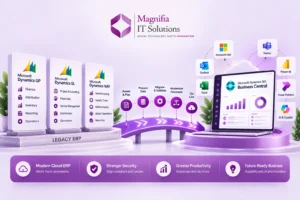

Customer expectations are changing rapidly in 2026. People want faster responses, personalized support, convenient communication, and quick solutions whenever they contact a business. As customer interactions increase, traditional support tools can make it difficult for service teams to maintain speed and consistency. Microsoft Dynamics 365 Customer Service provides a modern solution by combining customer relationship management, case management, automation, analytics, knowledge management, and artificial intelligence in one connected platform.
For businesses looking to improve customer experience, reduce repetitive work, and build scalable support operations, Dynamics 365 Customer Service offers a strong foundation. In addition, the growing capabilities of Microsoft Copilot and AI agents are changing how customer service teams manage cases, understand customer intent, find information, and respond to requests.
This guide explains the key Dynamics 365 Customer Service features, major benefits, AI capabilities, implementation considerations, and important developments businesses should understand in 2026.
What Is Dynamics 365 Customer Service?
Dynamics 365 Customer Service is Microsoft’s customer service CRM solution designed to help organizations manage customer interactions and support operations from a centralized platform. It enables service teams to manage cases, customer information, knowledge articles, service-level agreements, communication, workflows, analytics, and AI-assisted activities.
Instead of relying on separate spreadsheets, email inboxes, disconnected applications, and manual processes, organizations can bring customer service information into a structured environment. Consequently, representatives can spend less time searching for information and more time solving customer problems.
The platform can support organizations with simple customer support requirements as well as businesses managing complex service operations. Moreover, its connection with the wider Microsoft ecosystem makes it suitable for organizations already using Microsoft 365, Power Platform, Teams, Power BI, Dataverse, and other Microsoft technologies.
Why Dynamics 365 Customer Service Matters in 2026
Customer service is becoming increasingly intelligent. Previously, representatives had to perform many repetitive activities manually. They often needed to read lengthy conversations, search customer histories, locate knowledge articles, update records, write responses, and document resolutions.
Today, artificial intelligence can assist with many of these tasks. Dynamics 365 Copilot can help representatives summarize information, find relevant knowledge, draft responses, and work more efficiently. Furthermore, Microsoft is expanding the use of AI agents that can support specific customer service processes.
This shift means customer service is moving from simple ticket management toward intelligent service operations. Instead of simply recording what happened, modern CRM platforms can help teams determine what should happen next.
Key Dynamics 365 Customer Service Features
1. Advanced Case Management
Case management is one of the most important capabilities of Dynamics 365 Customer Service. It allows organizations to create, assign, track, update, escalate, and resolve customer cases through structured workflows.
For example, when a customer reports a product problem, a representative can create a case and associate it with the appropriate customer record. The team can then track conversations, activities, related information, priority, ownership, and resolution status.
As a result, managers gain better visibility into open cases and service teams have a structured process for resolving customer issues.
2. Centralized Customer Information
Customer service becomes much easier when representatives have the right information in one place. Dynamics 365 Customer Service provides access to customer records, interactions, cases, activities, and relevant service information.
Instead of searching through multiple systems, representatives can review customer context from the CRM environment. Therefore, they can understand previous interactions before responding to a new request.
This is especially useful when cases move between departments or representatives. A connected customer record reduces the need for customers to repeatedly explain the same problem.
3. Omnichannel Customer Service
Customers communicate through many different channels. Depending on the business, they may contact support through email, chat, voice, messaging, or digital channels.
Dynamics 365 Customer Service helps organizations create connected service experiences across these interactions. Consequently, service teams can work toward providing consistent support regardless of the communication channel.
A connected omnichannel strategy also helps organizations reduce fragmented customer information. Representatives can access relevant context and continue conversations more efficiently.
4. Knowledge Management
A strong knowledge base can significantly improve customer service productivity. Instead of asking experienced employees the same questions repeatedly, representatives can search approved information and use relevant knowledge articles to resolve customer issues.
For example, a technology company can maintain troubleshooting instructions, product documentation, frequently asked questions, policies, and support procedures within its knowledge environment.
Furthermore, AI can help representatives locate relevant information faster. This combination of knowledge management and AI can reduce the time required to find answers.
5. Service-Level Agreement Management
Many organizations need to meet specific response and resolution commitments. These requirements may vary depending on customer type, contract, product, or issue priority.
Dynamics 365 Customer Service supports service-level agreement processes that help organizations monitor service commitments and identify cases requiring attention.
For instance, a premium customer may require a faster response than a standard customer. With structured SLA management, teams can prioritize cases appropriately and reduce the risk of missed service commitments.
6. Customer Service Analytics
Customer service managers need visibility beyond individual tickets. They need to understand overall service performance, workload, customer issues, and operational trends.
Dynamics 365 Customer Service provides reporting and analytics capabilities that can help organizations evaluate service operations. Managers can analyze case volumes, resolution activity, service performance, and other important metrics.
Moreover, analytics can reveal recurring problems. If the same issue appears repeatedly, the business can investigate the underlying cause instead of treating every case separately.
7. Workflow Automation
Manual service processes can consume significant employee time. Dynamics 365 Customer Service can help automate repetitive activities through workflows and business rules.
For example, organizations can automate case assignment, notifications, escalation processes, follow-up activities, and other routine tasks.
Therefore, service representatives can focus more on customer conversations and complex problem-solving instead of administrative work.
Dynamics 365 Copilot for Customer Service
One of the biggest developments in Dynamics 365 Customer Service 2026 is the growing role of Copilot.
Copilot acts as an AI assistant that can help service representatives complete common tasks more efficiently. Depending on the configured capabilities, it can assist with case summaries, conversation summaries, knowledge discovery, response drafting, and natural-language interactions.
The goal is not simply to add another chatbot to the service environment. Instead, Copilot is designed to work within customer service workflows and help representatives use existing business information more effectively.
AI-Powered Case Summaries
Customer cases can contain lengthy conversations and multiple activities. Reviewing every interaction manually can slow down representatives.
AI-generated summaries can provide a concise overview of important information. Representatives can then understand the customer issue and previous actions more quickly.
This becomes particularly useful when a case is transferred between employees. The new representative can review the summary first and investigate the complete history when necessary.
AI-Generated Customer Responses
Writing emails and messages can also take considerable time. Copilot can help create draft responses based on available customer and case information.
The representative can review, edit, and approve the content before sending it. As a result, businesses can combine AI productivity with human judgment.
Natural-Language Assistance
Traditional CRM systems often require employees to navigate several screens to find information. AI changes this interaction model.
Representatives can ask questions using natural language and receive assistance based on available information. For example, they could ask about previous customer issues, case history, relevant knowledge, or recommended next steps.
This approach can make CRM tools easier to use while reducing the time spent searching manually.
AI Agents in Dynamics 365 Customer Service
AI agents represent another major development in customer service technology. While traditional AI assistants primarily help employees complete tasks, AI agents can support specific processes and workflows.
Microsoft is expanding agentic capabilities across Dynamics 365 Customer Service. These capabilities are designed to help organizations automate parts of customer service operations while maintaining appropriate human oversight.
Case Management AI
Case management automation can help reduce repetitive activities around creating, updating, categorizing, and resolving cases.
For example, an AI-powered process could help identify information from a customer request and assist with creating the appropriate case. It could also help determine the next step based on configured business processes.
Consequently, representatives can spend more time handling complex cases that require human expertise.
Customer Intent
Understanding customer intent is essential for effective support. Customers do not always explain their problem clearly or use terminology that matches internal business processes.
AI can help analyze customer requests and identify the likely intent behind them. This information can then support routing, recommendations, and next-best actions.
For businesses handling large volumes of requests, intelligent intent analysis can improve how cases are categorized and prioritized.
AI-Powered Knowledge Management
Knowledge management is also becoming more intelligent. AI can help identify relevant information and make knowledge easier to use during customer interactions.
As a result, representatives can spend less time searching through large collections of documentation. Customers can also benefit from faster and more consistent answers.
Benefits of Dynamics 365 Customer Service
Faster Customer Issue Resolution
Quick resolution is one of the most important customer service goals. Dynamics 365 can help representatives access customer history, knowledge, case information, and AI assistance from a connected environment.
Therefore, teams can reduce unnecessary delays and improve the overall resolution process.
Improved Employee Productivity
Customer service employees often spend significant amounts of time on administrative tasks. AI, automation, workflows, and centralized information can reduce this burden.
For example, representatives can use AI-generated summaries instead of manually reviewing lengthy conversations. They can also use response suggestions instead of creating every message from scratch.
Better Customer Experience
Customers expect businesses to understand their history and provide relevant answers. A connected CRM environment makes it easier for representatives to access customer context.
Furthermore, faster responses and consistent processes can improve the overall customer experience.
Improved Service Visibility
Managers need to understand what is happening across the service organization. Dynamics 365 provides dashboards, reporting, and analytics that help managers monitor operational performance.
This visibility can help identify growing case volumes, workload issues, SLA risks, and recurring customer problems.
Scalable Customer Service Operations
A small service team may initially manage customer requests using email or spreadsheets. However, these methods can become difficult to maintain as customer volumes increase.
Dynamics 365 provides structured processes that can scale with business growth. Organizations can add workflows, automation, analytics, AI, and additional service capabilities as their requirements evolve.
Dynamics 365 Customer Service for Different Industries
Dynamics 365 Customer Service can be adapted to different industries because customer support requirements vary significantly.
Manufacturing
Manufacturers can use customer service CRM capabilities to manage product issues, warranty requests, technical support, and service cases.
Retail
Retail businesses can manage customer complaints, order-related support, returns, product questions, and customer communication.
Healthcare
Organizations can use structured service processes to manage inquiries, appointments, requests, and customer interactions while following their applicable data and compliance requirements.
Financial Services
Financial organizations can use CRM and service capabilities to manage customer inquiries, requests, account-related support, and service workflows.
Technology Companies
Technology businesses can use knowledge management, case management, AI assistance, and automation to provide technical support at scale.
How Dynamics 365 Customer Service Compares With Traditional Support Systems
Traditional support systems often focus on storing tickets and tracking their status. That approach can work for basic service requirements, but growing organizations typically need more.
Dynamics 365 Customer Service combines CRM data, case management, knowledge, workflows, analytics, automation, and AI capabilities.
For example, a traditional ticketing system may tell a representative that a customer has an open issue. A connected CRM platform can provide additional context about the customer, previous cases, interactions, relevant knowledge, and recommended actions.
Therefore, the difference is not simply about managing tickets. It is about creating an intelligent customer service environment.
How to Implement Dynamics 365 Customer Service
Successful implementation requires more than installing the software. Businesses should first understand their current processes and define what they want to improve.
Step 1: Analyze Current Processes
Document how customer requests currently enter the organization. Identify how cases are created, assigned, escalated, resolved, and reported.
Step 2: Define Business Requirements
Determine which features are required. These may include case management, omnichannel service, SLAs, knowledge management, reporting, workflows, automation, and AI.
Step 3: Prepare Customer Data
Clean and organize customer information before migration. Duplicate or inaccurate records can reduce the value of a CRM implementation.
Step 4: Design Workflows
Map important service processes and identify opportunities for automation. Start with repetitive activities that have clear rules.
Step 5: Introduce AI Carefully
AI should be implemented according to business needs. Begin with practical use cases such as case summaries, knowledge assistance, response drafting, and customer intent.
Then, expand toward more advanced AI workflows when the organization has sufficient data, governance, and operational maturity.
Step 6: Train Employees
Technology adoption depends heavily on employee confidence. Representatives should understand how to use the platform, when to rely on AI, and when human judgment is required.
Step 7: Measure Performance
Track meaningful KPIs such as first response time, average resolution time, customer satisfaction, case backlog, SLA performance, and employee productivity.
These measurements help organizations determine whether the implementation is delivering measurable value.
Important Customer Service KPIs to Track
A Dynamics 365 Customer Service implementation should be connected to measurable business outcomes.
Important metrics can include:
- First response time
- Average resolution time
- First contact resolution
- Customer satisfaction
- Customer effort
- Case backlog
- SLA compliance
- Escalation rate
- Representative productivity
- Knowledge article usage
- Customer retention
Tracking these metrics provides a clearer picture of service performance. Moreover, organizations can use the data to identify areas where automation or process improvements could deliver greater value.
The Future of AI-Powered Customer Service in 2026
Customer service is moving toward a collaborative model where people and AI work together.
Human representatives remain important for empathy, judgment, relationship management, negotiation, and complex problems. At the same time, AI can handle repetitive information-based activities and assist employees with decision-making.
This creates a new model of customer service.
Instead of representatives manually completing every step, AI can increasingly support the workflow. It can summarize the customer history, identify intent, recommend information, draft responses, and help determine the next action.
However, organizations should implement AI responsibly. Data quality, security, permissions, governance, accuracy, and human oversight remain important considerations.
The most successful businesses will not necessarily be those that automate everything. Instead, they will identify the right tasks for AI while keeping people involved where human judgment provides the greatest value.
Why Choose Dynamics 365 Customer Service in 2026?
For organizations searching for a modern customer service CRM, Dynamics 365 offers a combination of established CRM functionality and rapidly developing AI capabilities.
Businesses can manage customer cases, organize knowledge, automate workflows, analyze service performance, and provide representatives with AI assistance from a connected environment.
Additionally, organizations already using Microsoft technologies can benefit from integration across the wider Microsoft ecosystem.
This makes Dynamics 365 Customer Service particularly attractive for companies planning broader digital transformation initiatives.
Final Thoughts
Dynamics 365 Customer Service is becoming much more than a traditional customer support system. It combines CRM, case management, knowledge management, automation, analytics, Copilot, and AI capabilities to help organizations build modern service operations.
In 2026, the growing role of AI agents is especially important. AI can help businesses understand customer intent, summarize cases, find information, generate responses, automate repetitive processes, and support representatives throughout the customer service journey.
For organizations looking to improve customer service automation, customer experience, CRM productivity, case management, AI-powered support, and service operations, Dynamics 365 Customer Service is a strong platform to evaluate.
The best results come from a strategic implementation. Businesses should first understand their processes, prepare their data, define measurable goals, and then introduce automation and AI based on real business requirements.
With the right implementation strategy, Microsoft Dynamics 365 Customer Service can help businesses create faster, smarter, and more connected customer experiences while giving service teams the tools they need to work more efficiently.
Magnifia IT Solutions helps businesses plan, implement, customize, integrate, and optimize Microsoft Dynamics 365 solutions. Our approach focuses on connecting technology with practical business outcomes, helping organizations build scalable CRM and AI-powered business operations.